Dashboard preview

What you'll see, eventually online.

For v1 the desktop app will get an opt-in switch: "sync a slim summary to my account." Flip it, and the same panels show up in your browser — accessible from anywhere.

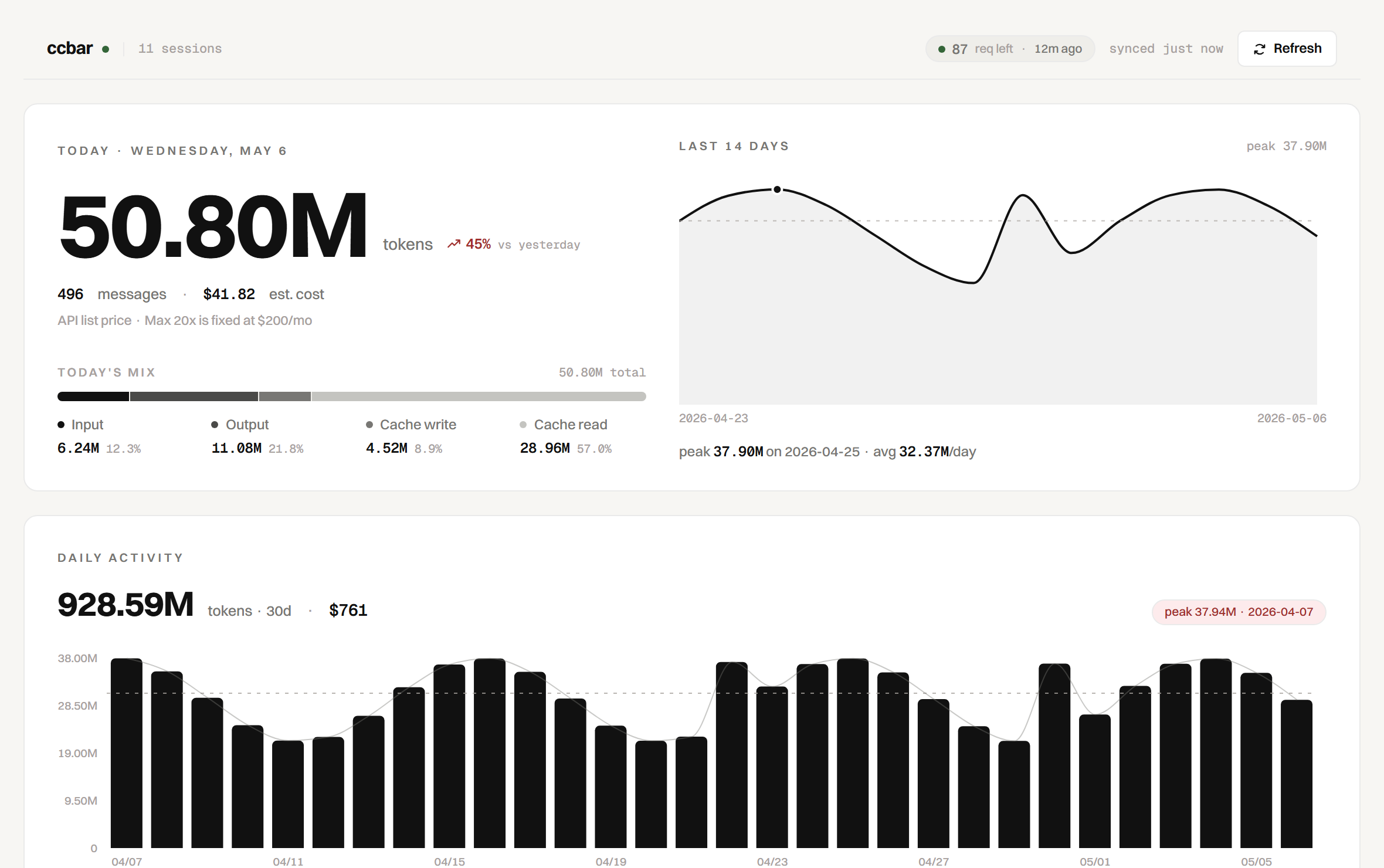
ccbar full dashboard
The v0 desktop window — v1 will mirror this in a browser.
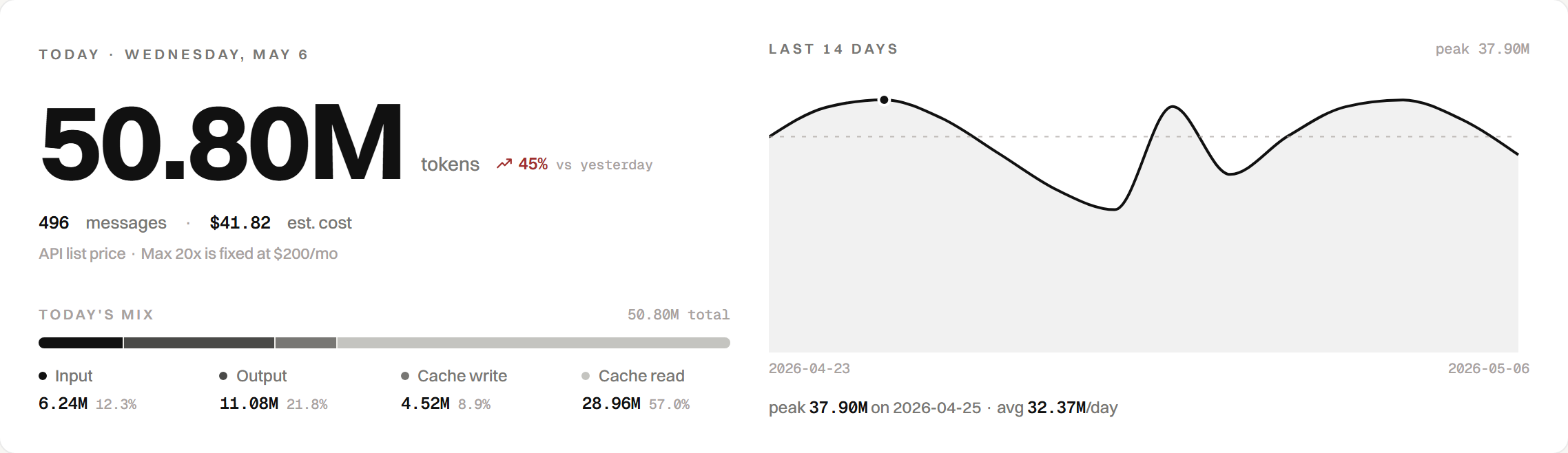
hero panel
Today, with weight.
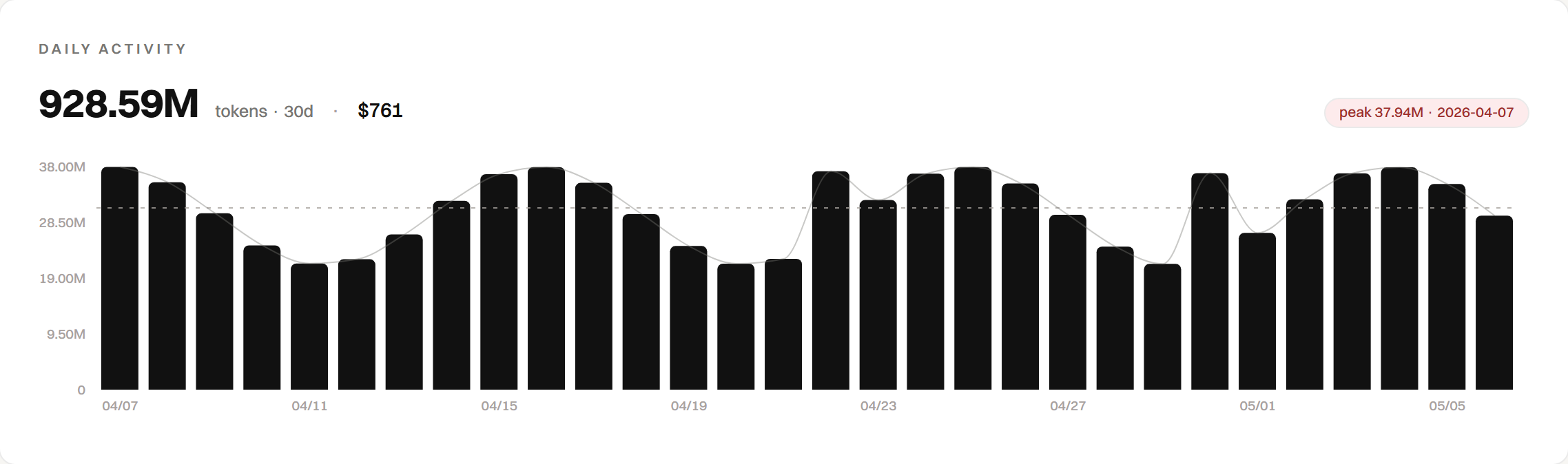
daily activity bar chart
Thirty days, no axis decoration.
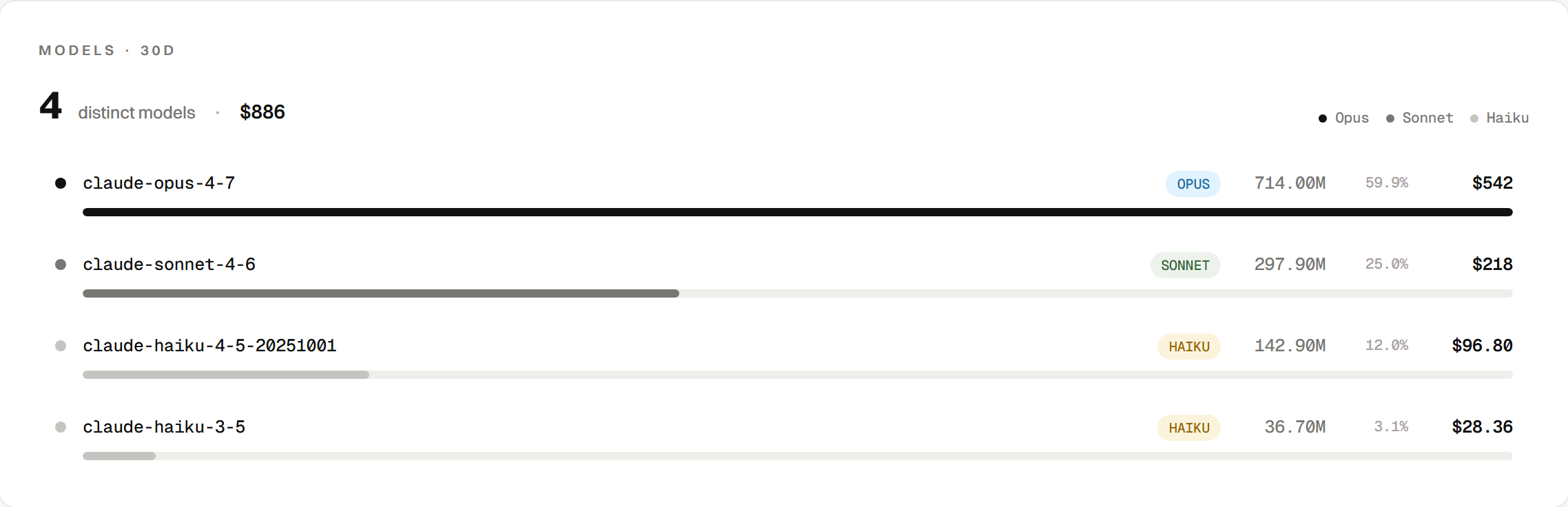
models panel
Four models, four colours, the cost in dollars.
What v1 sends

Aggregates only — never your prompts.

  • Per-day token totals (input / output / cache split)
  • Per-model rollup over the last 30 days
  • Quota status (the same one shown in the corner)

What never leaves your machine

  • Conversation text or prompts
  • File paths or project names
  • Credentials, tokens, or session IDs
Always visible

The desktop app keeps showing you exactly what's about to leave the machine, in plain text, before each sync. No surprises.

quota pill
When

No date. The desktop app comes first; the online sibling waits its turn.
Join the waitlist