Meter your Claude Code and OpenAI Codex spend.
ccbar is a tiny desktop app that reads ~/.claude/ and ~/.codex/ on disk and surfaces live 5h + 7-day windows for
both providers. No accounts, no servers, no telemetry — just the
receipt your CLI never quite gives you.
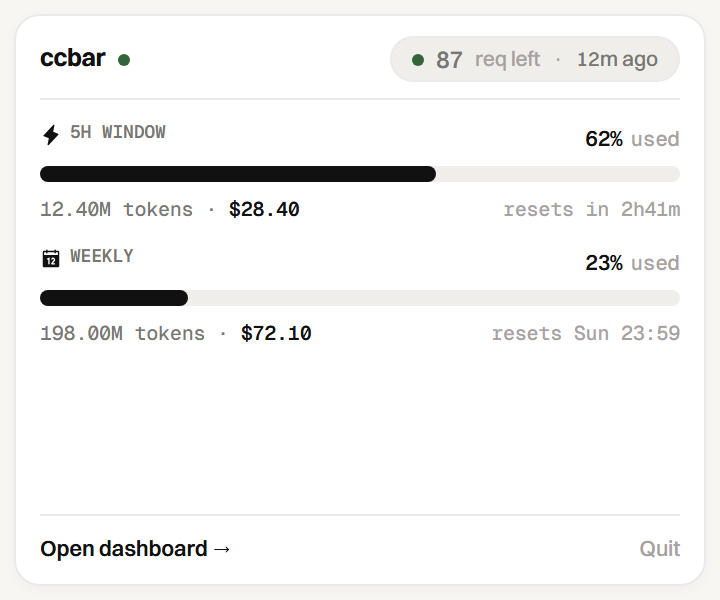
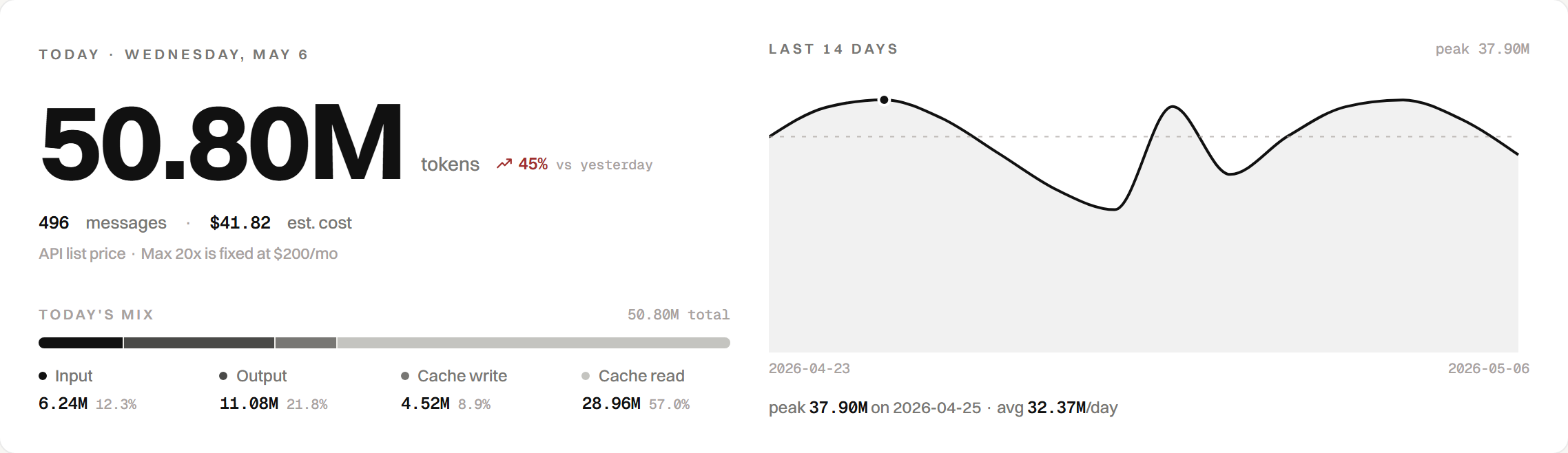
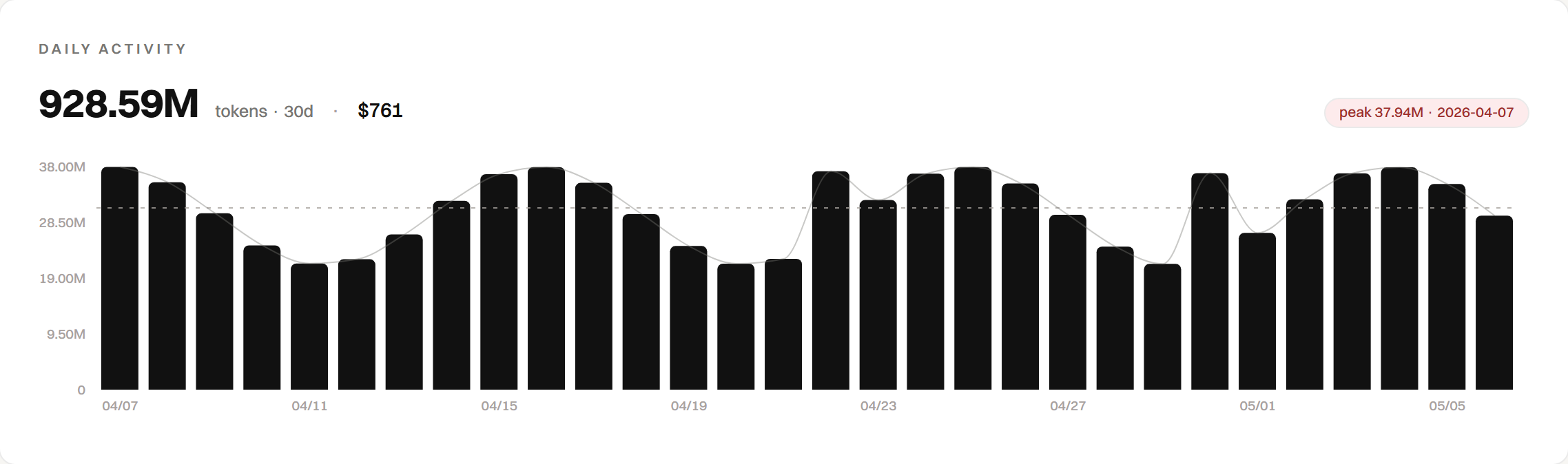
Four panels, one paperback-sized window.
Today, daily activity, time windows, models — auto-refreshing every fifteen seconds, all read straight from disk.
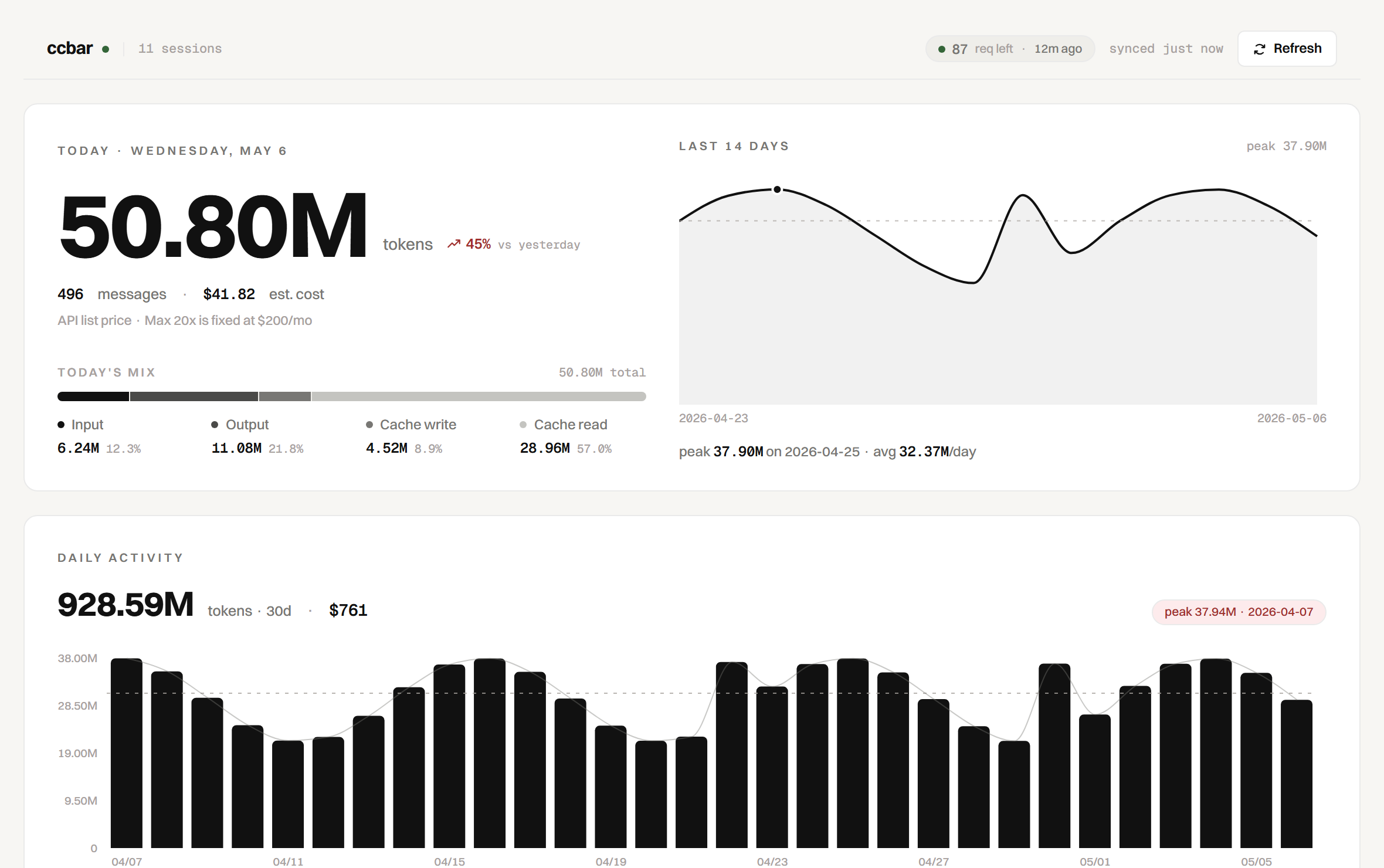
Claude tab. Codex tab. Same numbers, same shape.
Each tab is a complete dashboard for one provider — Hero today, 30-day sparkline, time windows with API value vs. flat subscription, model breakdown. Switching tabs swaps the data source; the layout never moves on you.
- Claude tab —
walks
~/.claude/projects/<cwd>/<sessionId>.jsonl, dedupes assistant messages bymessage.id, prices Opus / Sonnet / Haiku separately. - Codex tab —
walks
~/.codex/sessions/**/*.jsonl+ archived, dedupestoken_countevents, attributes tokens to theturn_context.modelin effect for that turn. - Tray switcher — system tray popup has the same Claude / Codex tabs at 340×280px, so the bar you stare at all day always reflects the provider you care about right now.
Connect once, then it's local-first.
Click Continue with OpenAI on the Codex tab. Browser opens to auth.openai.com, you sign in, ccbar receives the OAuth
token via a short-lived loopback listener on localhost:1455, and stores it in its own keystore at <config>/ccbar/codex-auth.json.
We never touch ~/.codex/auth.json (Codex CLI's own
token). The token never leaves the HTTPS request to OpenAI's
token endpoint, and the frontend only sees { connected, email, expiresAt, sessionCount } —
never the bearer.
Built like a meter, not a dashboard.
Quiet defaults. Real numbers. No fake gauges, no synthetic averages, no "growth" tips.
Fourteen days, no axis decoration.
Two-hundred-pixel area chart, peak day annotated, dashed average line — just the shape of your usage.
Side by side, by API list dollars.
Opus, Sonnet, Haiku — each in its own row with an honest cost. Haiku 4.5 priced separately from 3.5.
Goes faint when stale. No fake gauges.

Claude Code never quite tells you how much you've spent today. ccbar reads the JSONL files it writes after every assistant message and shows the receipt — with live 5h and weekly bars from the API itself.
ccbar reads files. It does not write files. It does not upload.
The desktop app opens three things in your ~/.claude/
folder, only those: per-session JSONL, the rate-limit log, and a
directory listing. The only network call ccbar makes is a
tiny ping to Anthropic for the live 5h and weekly headers — opt
out with CCBAR_LIVE_QUOTA=0.
Try ccbar in sixty seconds.
Build from source on Windows, macOS, or Linux. No accounts to create, nothing to subscribe to.